A power dialer that writes your call notes
Call down ordered queues from the browser, one lead at a time. On Premium, AI transcribes each answered call and drafts the summary, the key notes and a follow-up task for you to review.
14-day free trial, no card required.
Last reviewed 2026-10-23 · Owner: Pixelwand Team
- Lead on screen at a time
- 1
- Default call dispositions
- 7
- Plan for the automated dial queue
- Growth+
- Plan for AI call summaries
- Premium+
Why teams look for this
High-velocity calling dies in admin. After every call a rep types notes, creates a task and updates the record, and by the afternoon half of that never happens.
Without notes and dispositions on every lead, managers cannot see what was said or coach on real calls, only on what reps remember to report.
Pixelwand’s power dialer keeps the queue, the call and the record in one place. Reps call down a list while the transcript, the summary and a suggested next step are written for them to review.
Who it is for — and who it is not for
A good fit if you
- work leads in focused calling blocks rather than one-off calls
- want call notes and follow-up tasks drafted for them, not typed after every call
- need dispositions and call history visible to the whole team
- already use or can connect Twilio for voice
Not a fit if you
- want predictive dialing that calls without a rep on the line
- need calling without a Twilio account
- expect AI call notes or transcripts on the Lite or Growth plans
- are on the Lite plan and need the automated dial queue
The workflow, step by step
- STEP 1
Build the queue
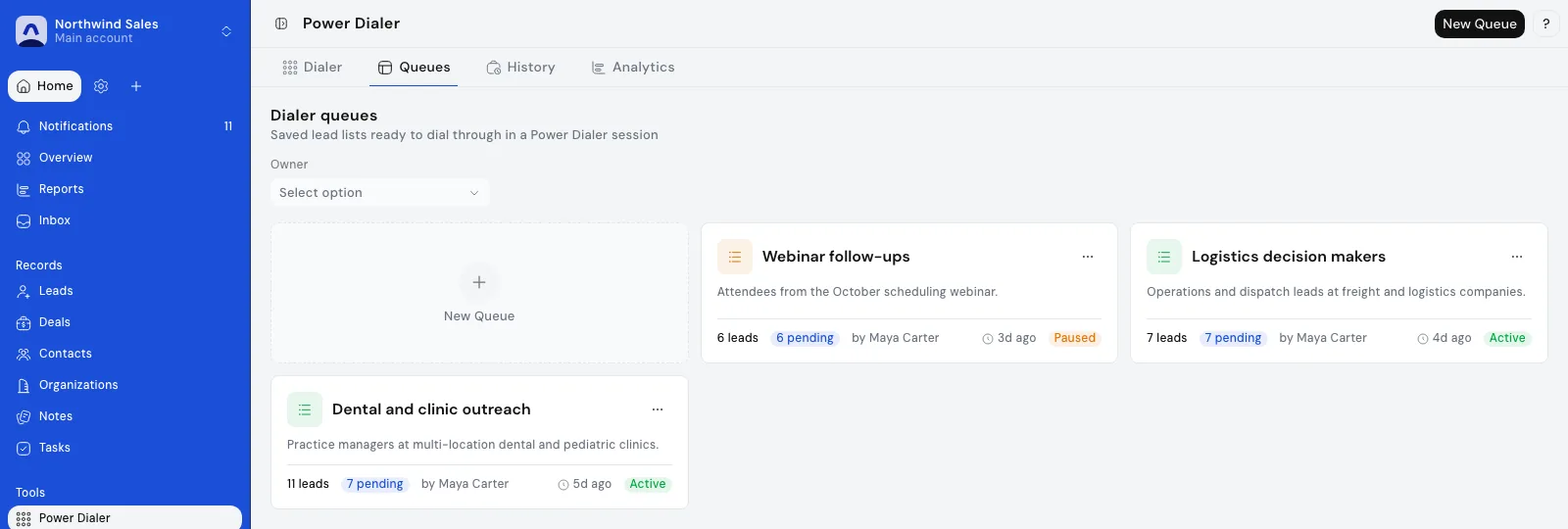
Group the leads for a calling block into a queue: a fresh outbound list, stalled leads, or trial follow-ups.
- STEP 2
Run the session
Start a session and click to call from the browser over Twilio. The current lead, its history and its next step stay on screen.
- STEP 3
Let AI write the notes
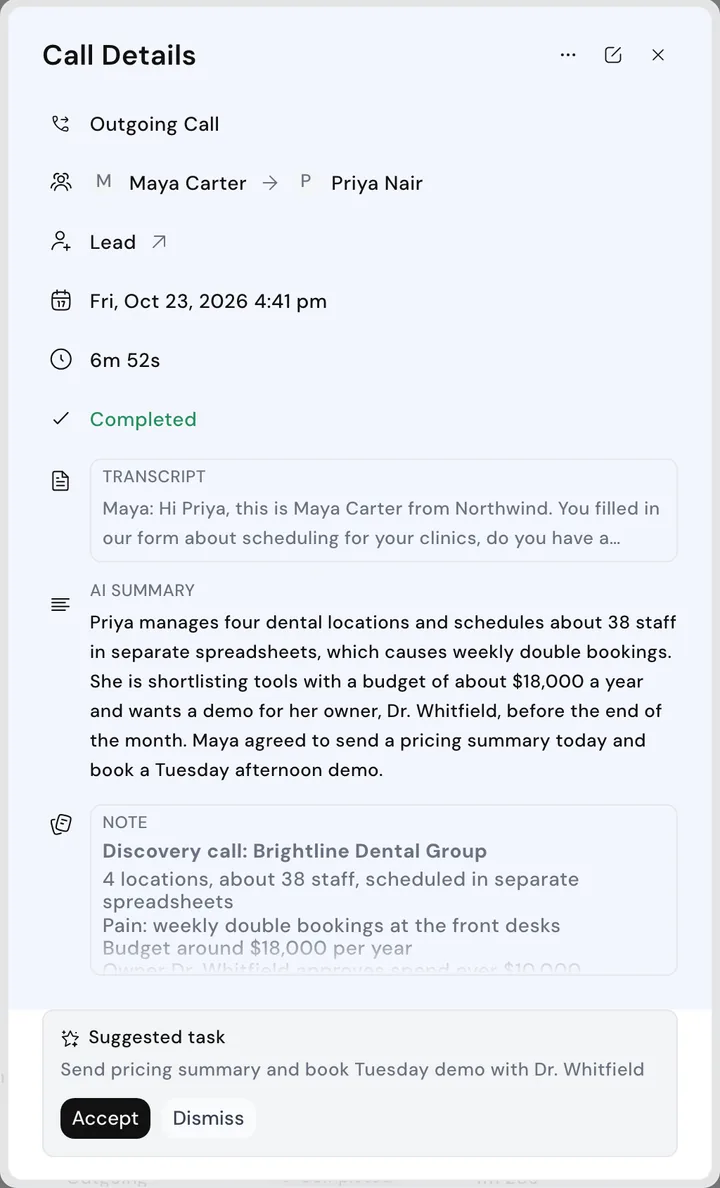
On Premium and above, a call that connects is transcribed from its recording or live transcript. AI then writes a summary and key notes to the lead and suggests a follow-up task.
- STEP 4
Review and disposition
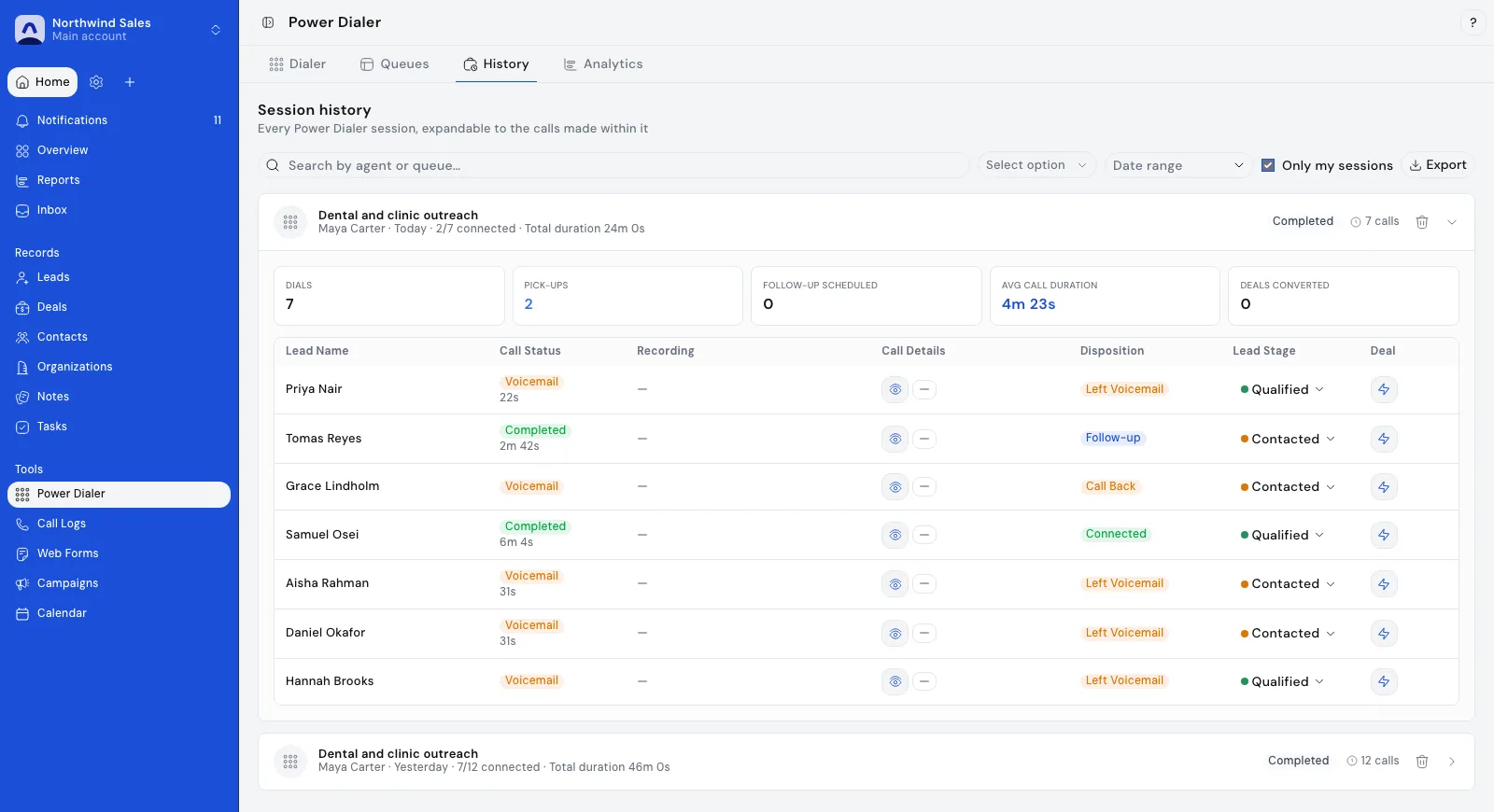
Check the summary, accept or dismiss the suggested task, and mark connected, voicemail, no-answer or a custom disposition. The log writes itself to the lead and contact timeline.
- STEP 5
Route outcomes before you hang up
Convert interest into deals, enroll no-answers in sequences, and keep dated tasks for the call-backs before the session ends.
What it looks like
Screenshots show demo data.
What is included — and the limits
Included
- Call queues that order the leads for a calling block, one lead on screen at a time (Growth and above; Lite is click-to-call only).
- Dialer sessions tracking the active call, the current lead and the session outcome.
- Click-to-call from the browser over your connected Twilio account.
- Dispositions recording connected, voicemail, no-answer and custom outcomes per call.
- On Premium and above, call transcripts, an AI summary, key notes saved to the lead and a suggested follow-up task after each answered call.
- Call logs written to the lead and contact timeline automatically, including power-dialer attribution.
Limits
- Voice and SMS run through Twilio: a connected Twilio account is required and carrier rates apply.
- The automated dial queue is on Growth and above; Lite is click-to-call only.
- Call transcripts, AI summaries, key notes and task drafts are on Premium and above, and only for calls that reached a person.
- AI output is a draft for review. A suggested task is only created when you accept it.
- Predictive or auto-dialing without rep control is not offered; reps stay on every call.
LiveWorks with the live Twilio integration.
How teams use it day to day
SDR morning call blocks
Load fifty leads into a queue, work the session top to bottom, and end with a disposition on every lead plus dated tasks for the call-backs.
Notes without the admin
Skip the typing between calls. The summary and key notes are on the lead when you open the next one, and the suggested task is one click to accept.
No-answer recovery
Missed calls and voicemails route into reviewed email or WhatsApp follow-ups instead of sitting in a call log nobody revisits.
Coaching from real calls
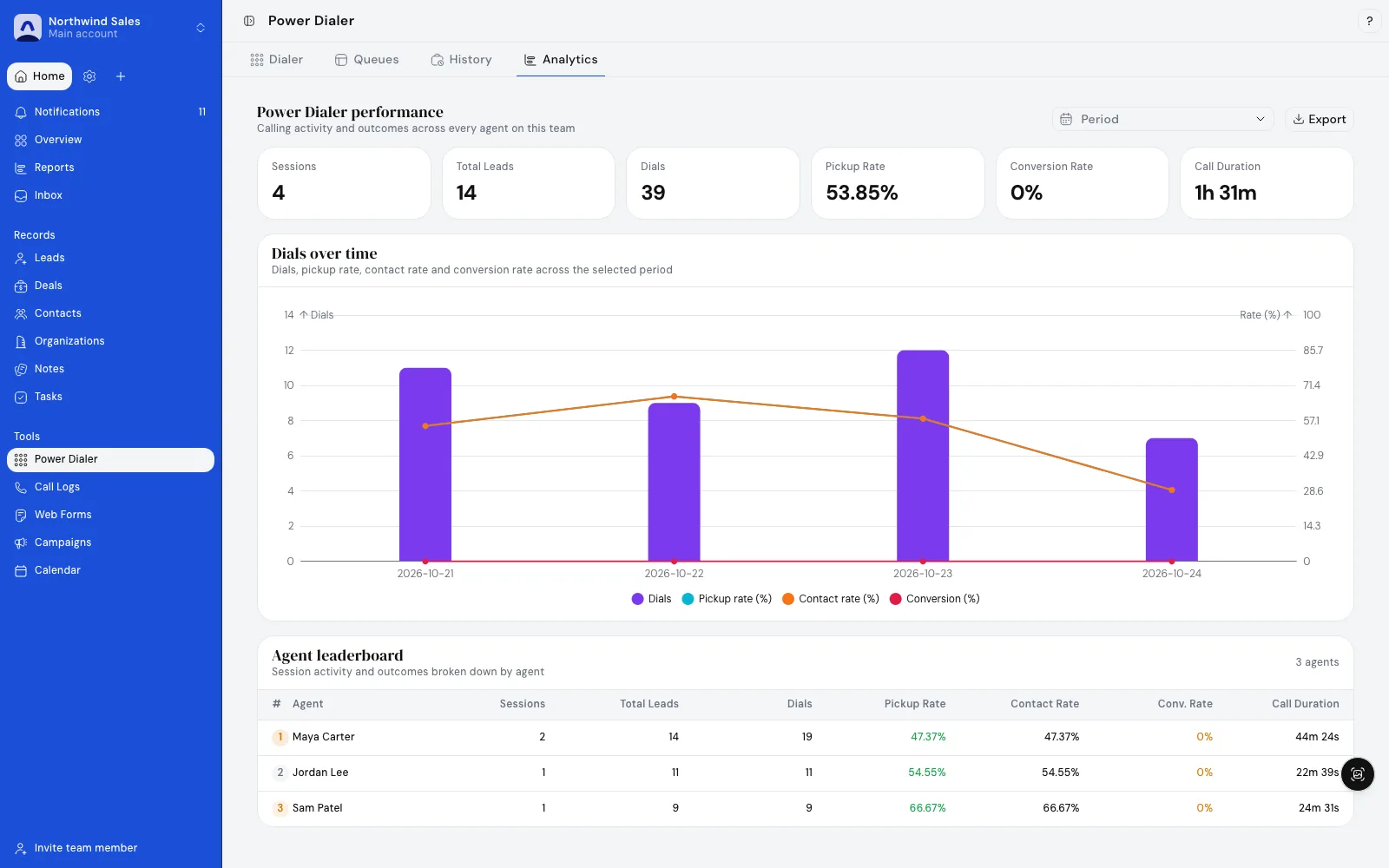
Every outcome and summary on the timeline means managers coach from what was actually said, not from rep memory.
Frequently asked questions
What does the AI write after a call?
After a call that reached a person, AI reads the transcript and writes a short summary and key notes to the lead, and suggests a follow-up task with a due date. The task stays a draft until you accept or dismiss it. Voicemail, no-answer and canceled calls get no AI summary, note or task, though a transcript or recording is kept.
Which plans include the AI call notes and the dial queue?
Call transcripts, the AI summary, key notes and the task draft are part of the Premium plan and above, and transcription minutes draw on your workspace credits. The automated dial queue is on Growth and above; Lite is click-to-call only. Call logs and dispositions are recorded on every plan.
What is the difference between a queue and a session?
A queue is the ordered list of leads for a calling block; a session is the tracked run through that queue, holding the current lead and call. Dispositions record what happened on each call.
What do I need to start calling?
Connect Twilio in settings. Click-to-call, SMS and call logging then run from the browser and the record timeline. Carrier costs follow Twilio billing.
Are call outcomes logged automatically?
Each call writes a call log to the lead and contact timeline with its outcome, so managers and teammates see connected, voicemail and no-answer history per lead.
Does it dial automatically or message leads for me?
No. Reps stay on every call and nothing contacts a prospect on its own. AI output is for you to review: you decide what to keep, which task to accept and what to send.
Click-to-call, SMS workflows and call recording via Twilio.
Lists, queues and sequences for full outbound execution.
Call, SMS, WhatsApp and email from one record timeline.
Turn worked calls into stages, probabilities and forecast.
The sales-execution CRM the dialer lives in.
Connect rates, follow-up persistence and what the data says about call timing.
Seat prices, calling costs and AI notes, checked October 2026.
Power dialer plans, transcripts and SMS side by side.
A dialing specialist against a CRM with a dialer.
Published pricing against an AI parallel dialer.
Start closing
more deals today.
Join high-growth sales teams automating their busywork with Pixelwand.
"Just on WhatsApp, [Deependra] has been recommending me features and helping me out wherever I'm stuck with the CRM."