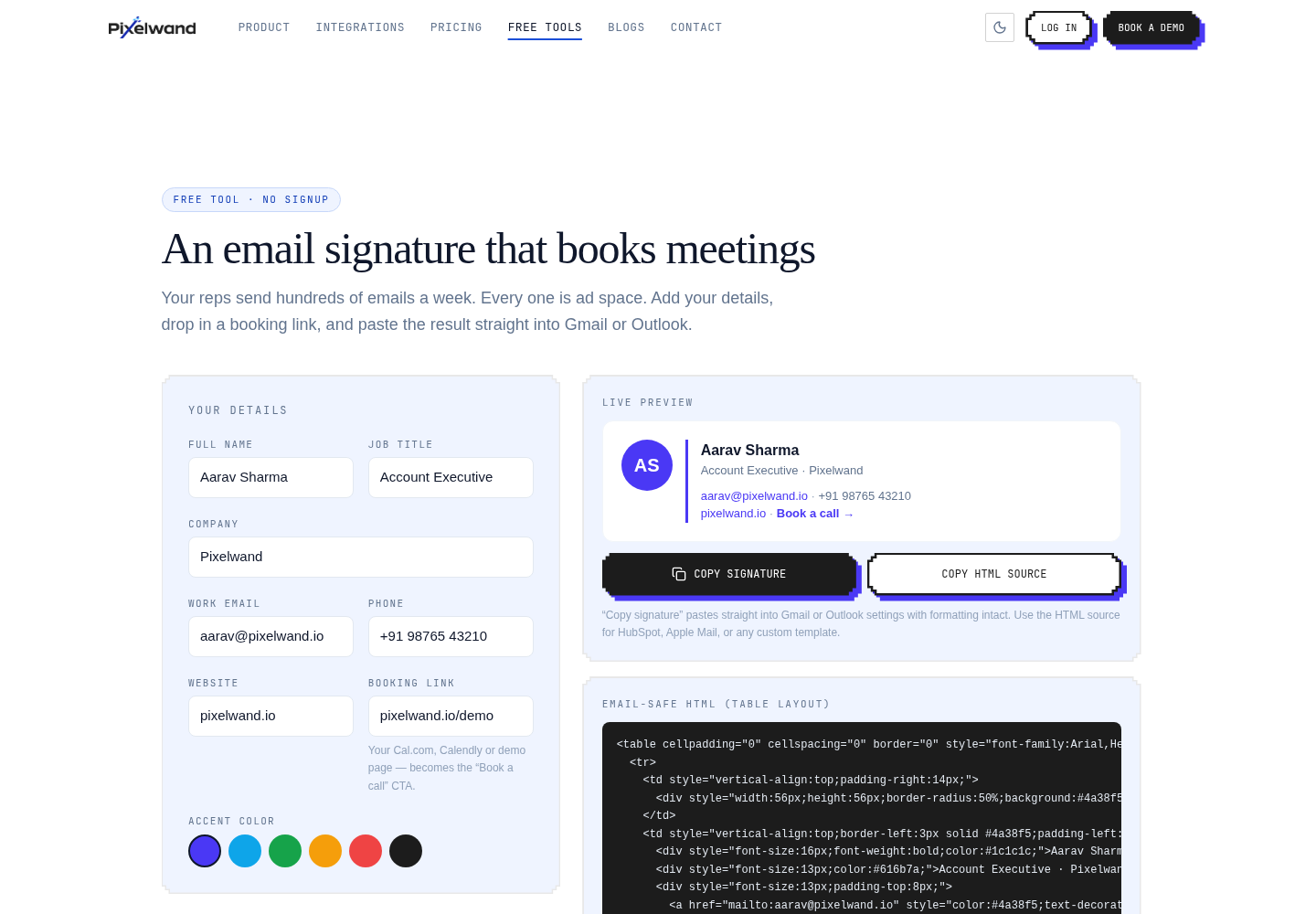
Free Email Signature Generator for Sales Teams
Create a clean, professional email signature with a booking-link CTA and paste it into Gmail or Outlook without writing HTML.
TL;DR: A good sales email signature is a small piece of useful context, not a brochure. Include your name, role, company, and one clear next step such as booking a meeting. The free email signature generator creates a paste-ready version for Gmail or Outlook.
What makes an email signature professional?
A professional signature answers “who is this, what do they do, and how can I continue the conversation?” It should be short, readable on a phone, and visually consistent with your company. Name, role, company, and one direct contact path are usually enough.
The signature should support the email rather than compete with it. Use a restrained accent color, sensible spacing, and a single call to action. A signature full of graphics can look impressive in a design file and become difficult to read when an email client strips styles.
How do you create a Gmail signature without HTML?
Open the email signature generator, enter your name, job title, company details, and optional booking link, then copy the generated signature. In Gmail, open Settings, choose See all settings, scroll to Signature, create or select a signature, and paste it into the editor.
Send a test message to yourself and view it on desktop and mobile. Check the link, line breaks, text contrast, and how the signature appears in a reply thread. Gmail can preserve some formatting that another client does not, so test the clients your prospects actually use.
What should the booking-link CTA say?
Use an action that matches the recipient’s stage. “Book a 20-minute intro” is clearer than “Click here.” If the link leads to a long calendar with no availability, the CTA creates frustration instead of making scheduling easier. Keep the promise accurate and make the meeting length obvious.
One CTA is easier to understand and measure than a row of competing links. If the email is a support or customer-success message, a reply prompt may be more appropriate than a sales booking link.
How can you keep signatures consistent across a team?
Create a small standard: approved name format, role format, company spelling, brand color, and the one link the team should use. Store the source instructions somewhere easy to update. When a person changes role or a booking URL changes, update the standard and ask the team to replace the old copy.
Do not hide important information inside an image. Text remains searchable, accessible, and more likely to survive image blocking. Use logos or icons only where they genuinely help recognition.
Curious how this looks with your own pipeline?
15-minute walkthrough, no pressure, cancel anytime.
Where Pixelwand CRM fits in
The signature creates a reliable next step in outbound email. Pixelwand CRM adds the record context behind that email by syncing Gmail and Outlook threads onto leads and deals. That makes it easier for a team to see the conversation history after someone books, replies, or hands the opportunity to another rep. Learn more about email workflows.
Sources: Pixelwand Email Signature Generator, Gmail Help: Create a signature, Microsoft Support: Create a signature in Outlook
Turn a sales email signature into a useful next step with one booking link, clear copy, mobile-safe formatting, and simple team standards.
Studies disagree on the best time to send sales emails, but mid-week mornings beat Mondays and late evenings, lifting open rates by up to 30%.
Frequently asked questions
How do I create an email signature for Gmail?
Enter your details in the Pixelwand email signature generator, add an optional booking link, copy the rendered signature, and paste it into Gmail Settings under See all settings, General, and Signature.
Does the generator work with Outlook?
Yes. The generated HTML is designed for email clients such as Gmail and Outlook. Paste it into the signature editor, then send yourself a test email to verify the layout.
What should a sales email signature include?
Include your name, role, company, a reliable contact method, and one relevant call to action. Keep it readable and avoid adding a large collection of banners, quotes, or social icons.