Deal
The Deal workspace is your central hub for managing sales opportunities, from pipeline to close.
The Deal workspace is your central hub for managing sales opportunities. Here, you can track progress, collaborate with your team, and close deals efficiently.
What is a Deal?
A deal represents a potential sales transaction your company is pursuing. It is tied to an Organization, carries a Status from your pipeline, and holds products and revenue. Its currency is set to your workspace currency on creation and cannot be changed later.
After conversion
When a lead is qualified and converted, the system:
- Aggregates the lead's timeline into the deal's Activity. Emails, calls, notes, tasks, and comments remain connected to the lead but appear together with the deal's history for a seamless handoff.
- Creates an organization and contact from the lead when they do not already exist, reusing an existing match when found.
- Lets you maintain multiple contacts on the deal and choose the primary contact, which determines the deal's primary email and phone.
The Deal page: your deal-closing workspace
The Deal workspace brings pipeline and detail together. The list defaults to Kanban grouped by status. Drag a card to update status, which moves probability and close dates automatically. Table and List are available for sorting, resizing, and bulk work. Use Manage Pipeline to update statuses, colors, probabilities, and types.
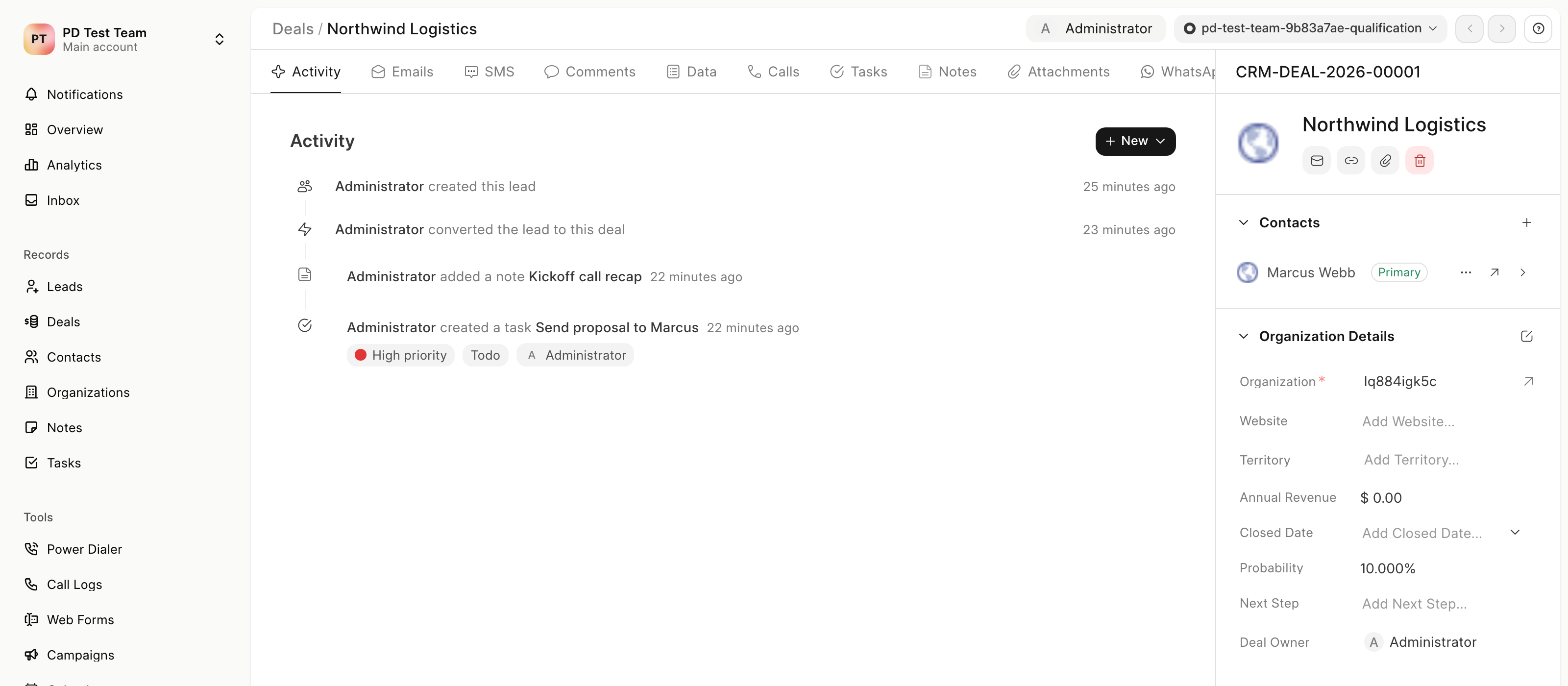
On a deal record, the header shows assignment, status, and navigation between records. The detail is split between activity tabs on the left and the record panel on the right:
- Communication: Email, calls, SMS, and WhatsApp, available when the related channels are configured. WhatsApp and SMS prompt for setup when not enabled.
- Activities: Tasks, notes, comments, attachments, and the complete timeline. The Data tab exposes editable fields without leaving the timeline.
- Contacts & Organization: The Contacts section lists all linked contacts with primary selection. Organization details appear alongside contacts.
- Pipeline & Revenue: Status determines health scores and, for Won or Lost, records the close date. Moving to Lost prompts for a reason. Products contribute to totals, and revenue is normalized for reporting.
- Collaboration: Mentions in comments notify teammates. Assignment changes share the deal and update ownership.
This centralized workspace keeps all deal-related information in one place, so you can focus on advancing opportunities and closing faster.