CRM Payback Period: Build a Better Case
Find a realistic CRM payback period by modeling admin savings, recovered deals, implementation cost, adoption, and sensitivity instead of guesswork.
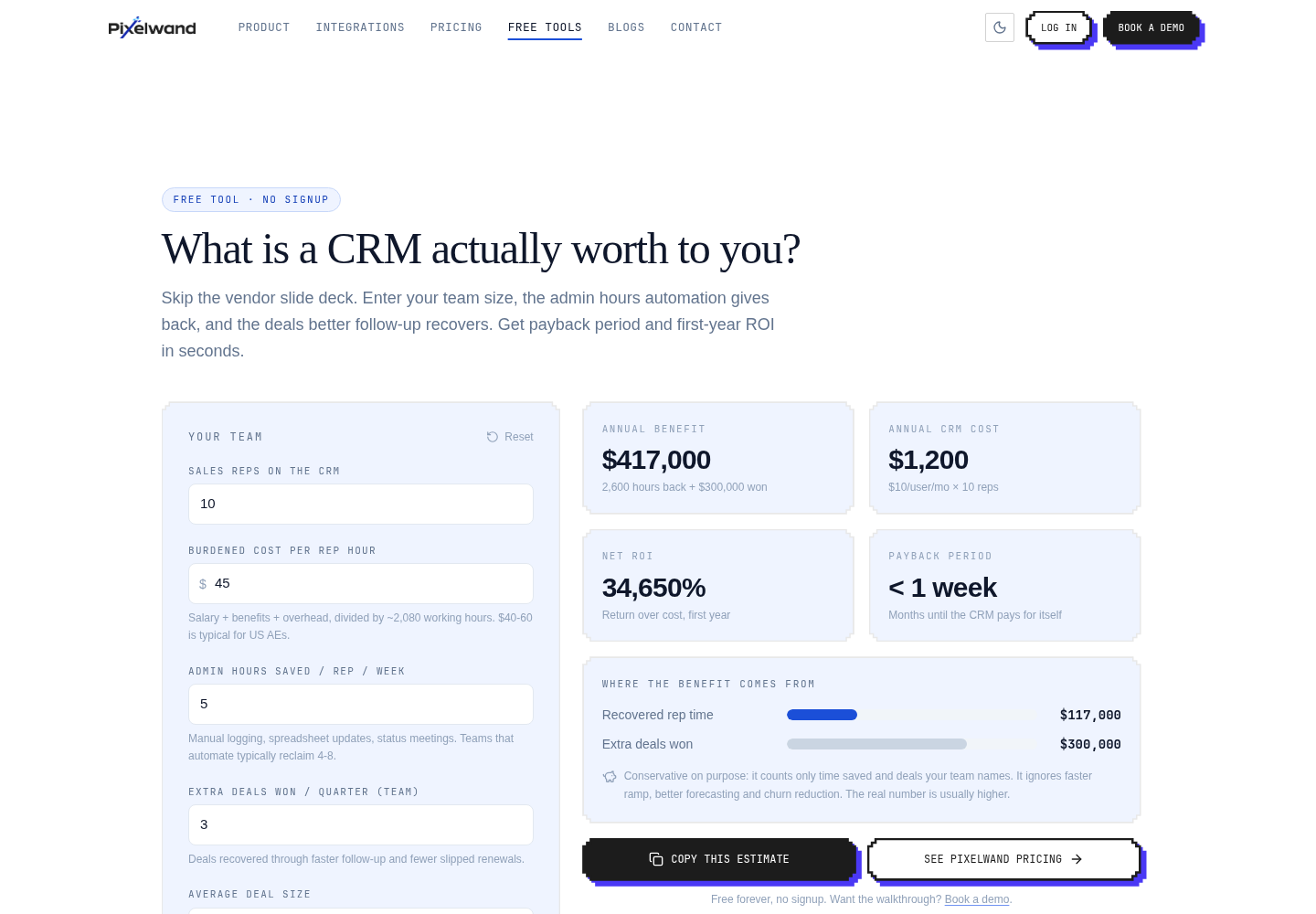
TL;DR: CRM payback period is the time for measurable monthly benefits to cover subscription and implementation costs. Model time saved and recovered gross profit, then account for the adoption ramp. The free CRM ROI calculator makes the sensitivity visible before you commit.
How do you calculate a CRM payback period?
The basic formula is total investment ÷ monthly benefit. Total investment includes the first year of software plus one-time costs such as migration, training, implementation, and integrations. Monthly benefit includes only the portion of time savings and incremental gross profit you expect to realize that month.
Suppose first-year cost is $36,000 and modeled monthly benefit is $8,000. The simple payback is 4.5 months. If the first two months are a 50% adoption ramp, the practical payback is longer. Showing both values is more honest than presenting the best-case figure as a promise.
Which benefits should count toward payback?
Count benefits that can be observed in normal work. Examples include fewer hours spent updating records, less duplicate data entry, faster lead assignment, fewer missed follow-ups, and fewer handoff errors. Revenue benefits should be tied to a specific mechanism, such as contacting an inbound lead sooner or making a stalled deal visible to a manager.
Do not count a rep’s full theoretical capacity as revenue. Four hours returned to a seller may become selling time, coaching time, or simply a healthier workload. Model the recovered time at its labor value first, then add a separate revenue case if you have evidence that it converts into gross profit.
How does adoption change the payback math?
Adoption is the multiplier on every promised benefit. A CRM that only one rep updates cannot deliver the same handoff, reporting, or coverage benefits as a system the whole team uses. Build a ramp into the model: perhaps 40% of expected benefit in month one, 70% in month two, and full benefit after the workflow is familiar.
The best early workflows are frequent and easy to verify. Capture a new lead, assign an owner, record a call, send a follow-up, and keep the next activity on the record. Once those habits are reliable, more advanced automation has a better chance of sticking.
How should you present the business case?
Show three cases: conservative, expected, and upside. Include the assumptions beside each output. Decision-makers can disagree about time saved or recovered deals without arguing about a hidden spreadsheet formula. The calculator lets you adjust team size, hourly value, deal recovery, and software cost to create those cases quickly.
Curious how this looks with your own pipeline?
15-minute walkthrough, no pressure, cancel anytime.
Where Pixelwand CRM fits in
Pixelwand CRM focuses on workflows that can shorten payback: a shared record for calls, WhatsApp, web forms, and email; click-to-call through Twilio; and Gmail and Outlook sync for email and calendar history. That reduces the number of places a rep must update and gives managers a clearer way to see whether adoption is creating real operating value. Explore the CRM workflow before building your case.
Sources: Pixelwand CRM ROI Calculator, Pixelwand CRM Features
A practical CRM ROI formula using time saved, recovered deals, software cost, payback period, and a free calculator for your business case.
CRM ROI statistics: average return per dollar dropped from $8.71 to $3.10 over a decade, and adoption, not software, is the reason why.
Learn the sales pipeline math behind a revenue target, from deals needed to leads and weekly activity, with a free calculator you can use now.
Frequently asked questions
What is a good CRM payback period?
A good payback period is short enough to fit your company’s investment rules and realistic enough to survive conservative assumptions. Calculate it from monthly benefit, including adoption ramp and implementation cost.
Should implementation cost be included in CRM payback?
Yes. Include migration, setup, training, and integration work when those costs are material. Separating recurring subscription cost from one-time implementation makes the model easier to review.
How can a team shorten CRM payback?
Start with high-frequency workflows such as lead capture, follow-up reminders, call logging, and email synchronization. Improve adoption before expanding into complex customizations.