Other Features
Comment
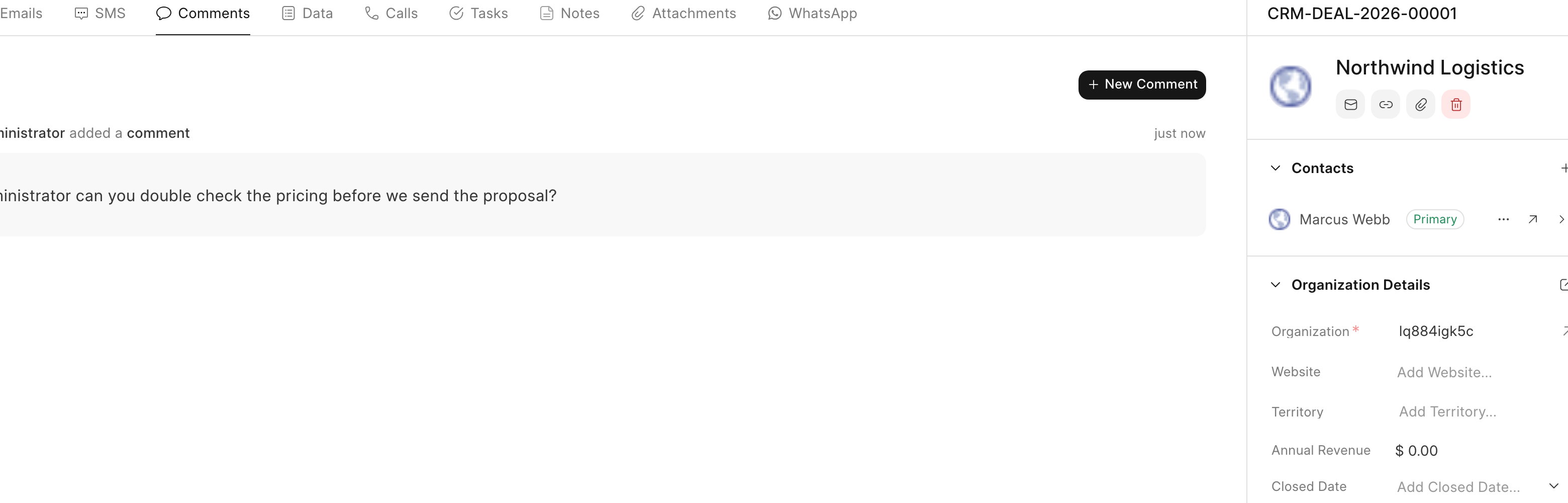
Comments let agents collaborate on leads and deals in one place, discussing progress and sharing details without leaving the record.
The comment feature allows internal communication and information sharing related to leads and deals. It facilitates collaboration among agents by providing a dedicated space to discuss, track progress, and share details.

Key Features
- Internal Communication: Engage in discussions with other agents regarding leads and deals.
- Mentions: Use the "@" symbol followed by a username to notify specific agents about important updates or require their input within a comment.
- Information Storage: Store relevant details about the lead or deal within the comments section for easy reference. This can include notes from conversations, action items, or crucial milestones.
Add a Comment
- Locate the "Comment" button at the bottom on the Lead or Deal page.
- Enter your comment in the designated text box.
- To mention a user, type "@" followed by their username. A dropdown menu will appear with matching usernames for ease of selection.
- Once you've crafted your comment and included any necessary mentions, click "Submit".
Email Communication
This feature allows you to seamlessly exchange emails with your customers directly from the Lead/Deal page within the system. All email interactions are.
Data
The side panel allowed quick access to frequently used fields but had limitations like excessive scrolling and no support for child tables. The new Data.