Custom Fields
Add fields to capture data specific to your sales process. Existing fields, including custom fields, can be arranged in the Data layout.
Pixelwand CRM can be tailored to your sales process. Existing fields, including any custom fields created for a DocType, can be arranged in the Data layout for leads, deals, and other records.
What are Custom Fields?
The Lead and Deal records include essential fields such as contact details, organization, and owner. When you need additional information, create a custom field for that DocType via Customize Form and then add it to the relevant layout. The field will then appear wherever that layout is used.
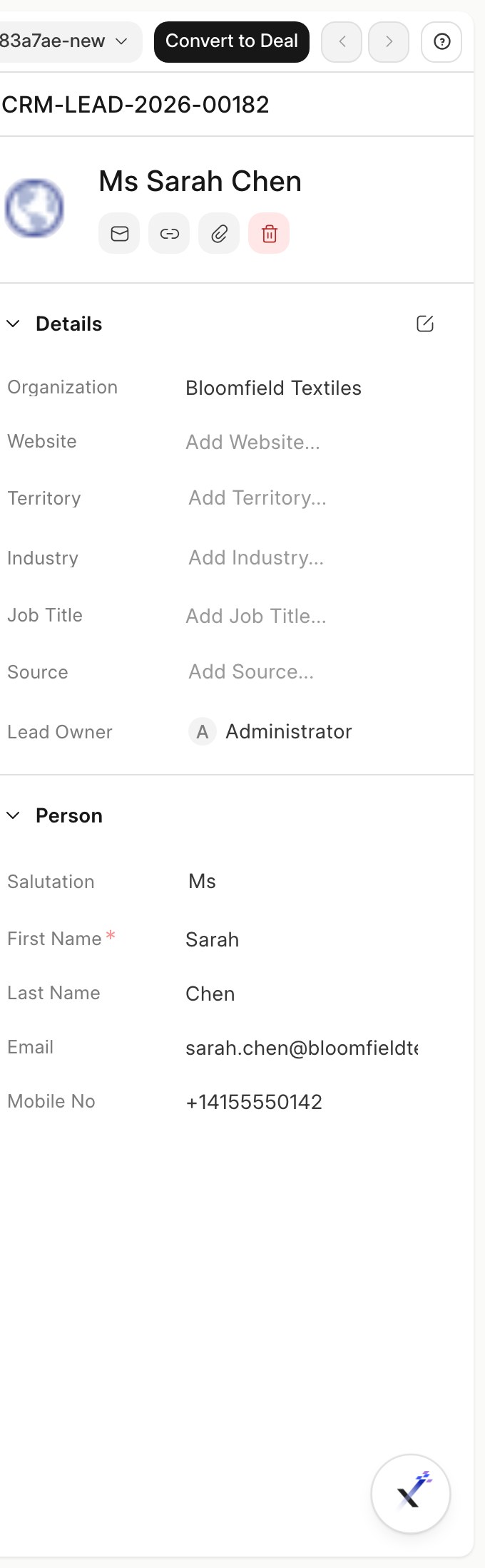
Adding Custom Fields to the Data Layout
The button is in the Data tab for a record. For example, open a Lead, switch to Data, and find the pencil icon beside Save in the top right.
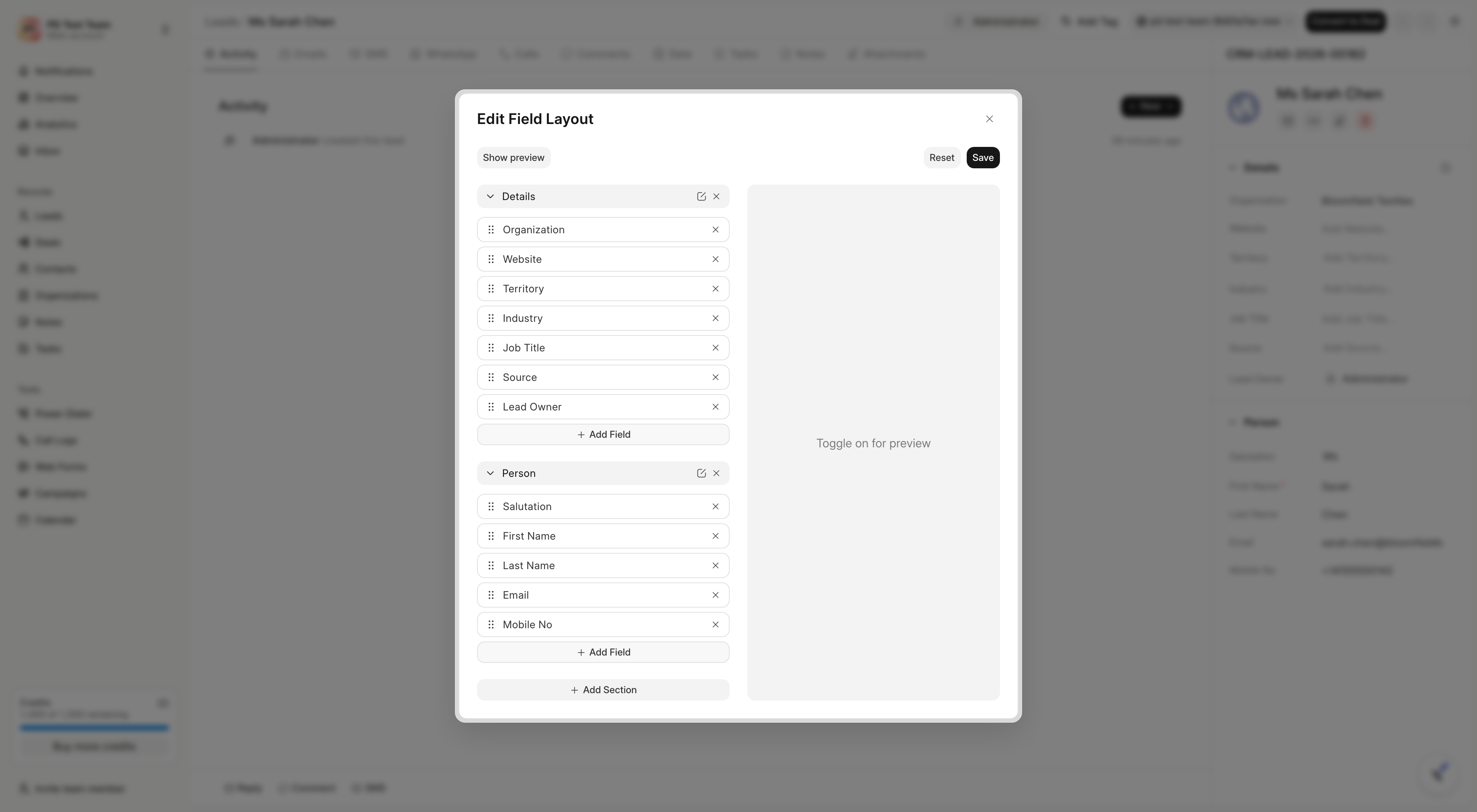
Clicking it opens Edit Data Fields Layout. From there you can:
- Add a field with Add Field: choose from existing fields for that DocType. The list shows
Label: fieldname - fieldtypeand excludes restricted types. Custom fields appear here once created. - Organize the layout with Add Tab, Add Section, and Add Column, and drag fields or sections to reorder them.
- Toggle Show preview to see how the layout will look, then Save. Use Reset to discard changes.
By arranging fields in the Data layout, your team captures the information that matters without changing the underlying field definitions.